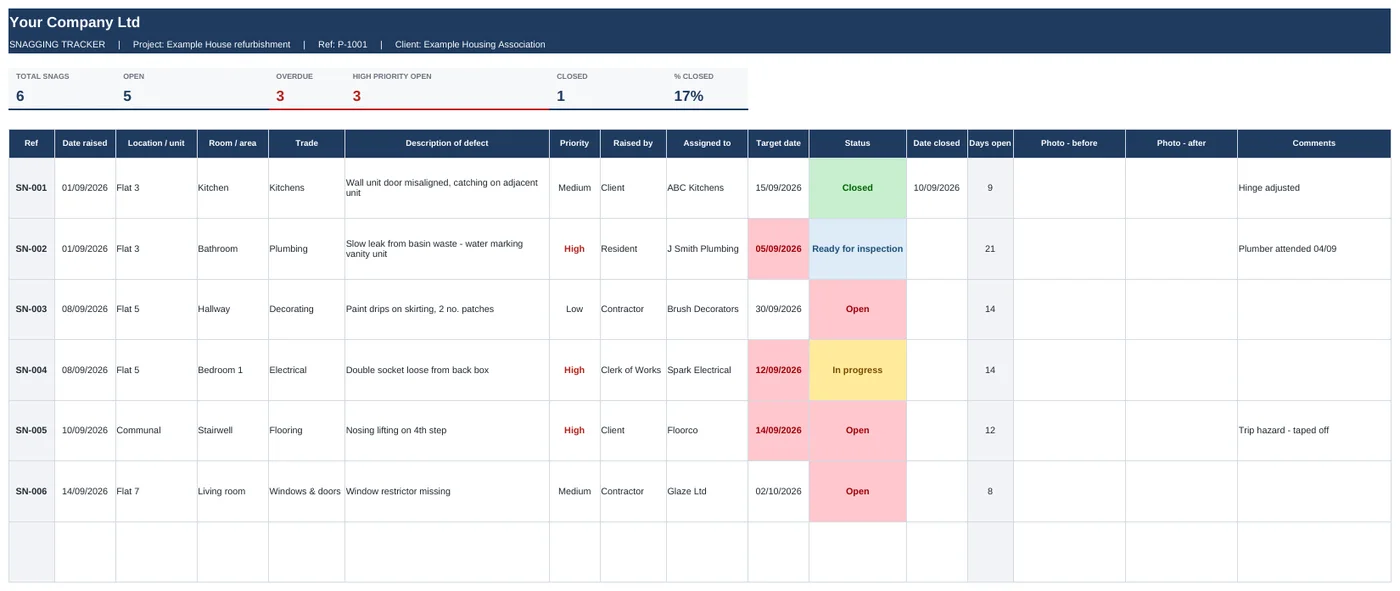
Snagging Tracker
Log every defect with before and after photos, and chase each trade to sign-off.
- Photos sit inside the cell and move with the row
- Overdue target dates go red on their own
- Summary by trade to send to your subbies
Snagging, RFIs, variations, progress, resident liaison and quotes. Built by a project manager on live UK refurb jobs. Put your logo and colours on them in two minutes.
One-off payment. Instant download. Use it on every job.
Swipe to see the full sheet →
Each one comes with example rows filled in, so you can see how it works before you delete them and start your job.
Log every defect with before and after photos, and chase each trade to sign-off.
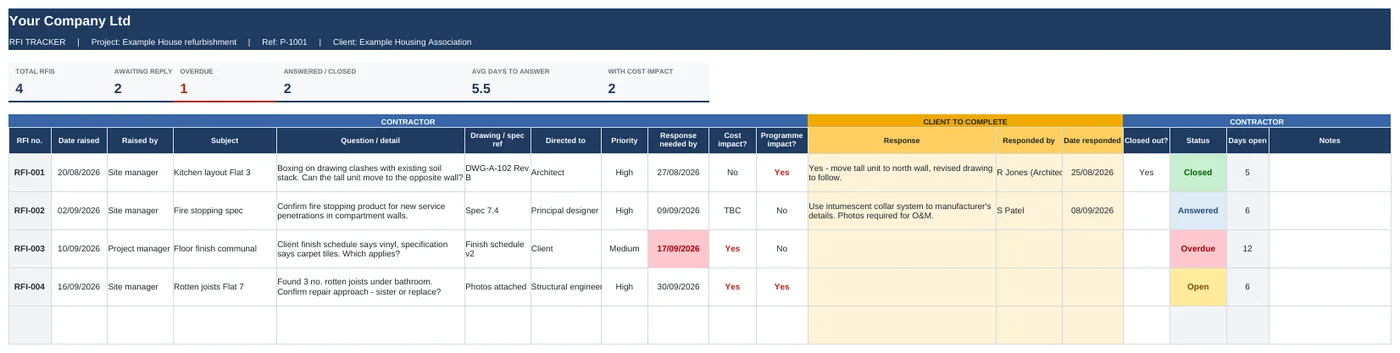
Raise questions and get the client's answer in the same sheet. No more digging through emails.
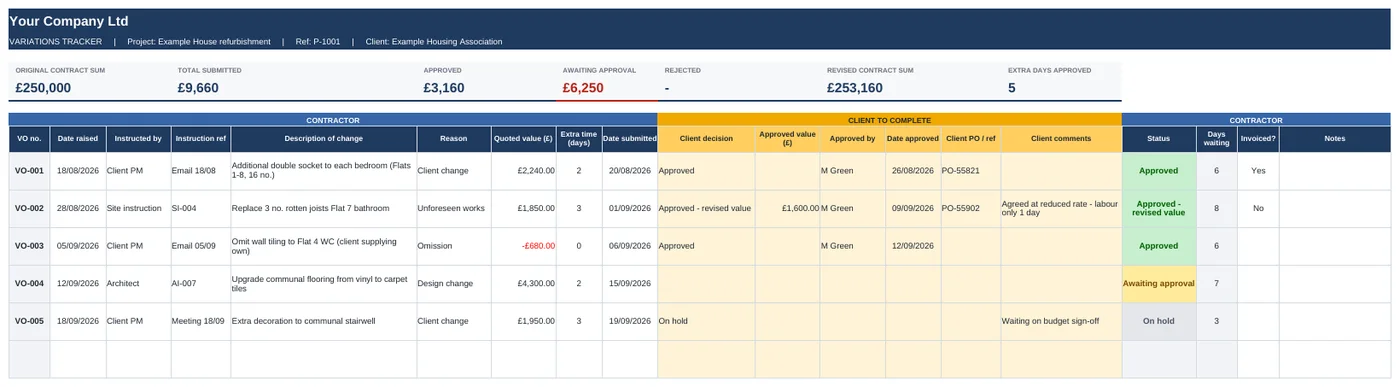
Price every change, get approval in writing and always know your revised contract sum.
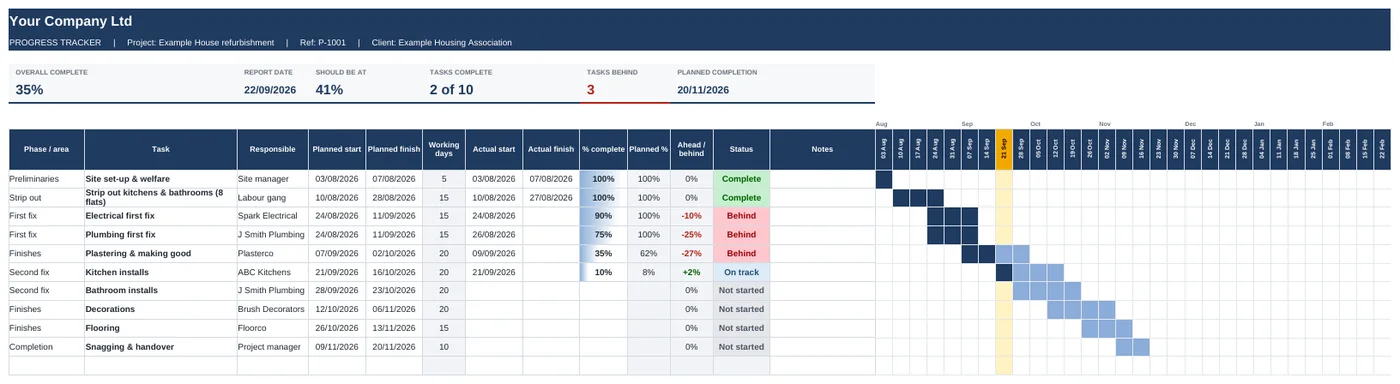
Update one column a week. It tells you what's on track, what's behind and by how much.

Every resident, their access, their needs and every conversation you've had, in one place.
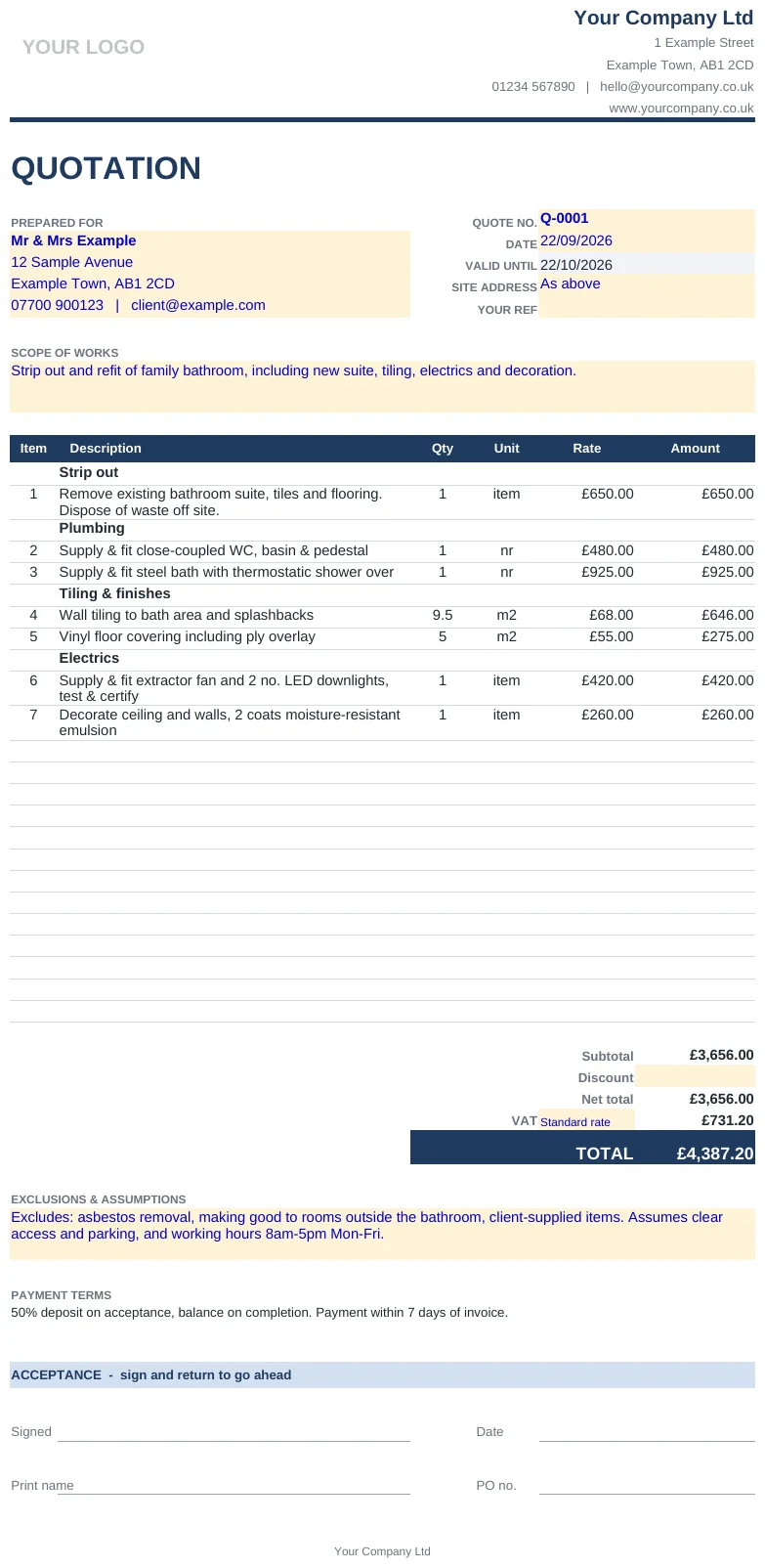
A clean, one-page quote that adds itself up. Made for smaller contractors and trades.
Type your company name in once and every sheet picks it up. Paste in your logo. Then change two colours in Excel and every header, tile and chart follows.
Same file, two clicks apart.
Share the file through OneDrive or SharePoint. The client only touches the yellow columns: their answer, their approval, their PO number. You get a record that's hard to argue with.
The full set for running a job, start to handover.
Secure checkout by Gumroad. Card, Apple Pay and PayPal. VAT receipt included.
"I'm a project manager for a UK main contractor, mostly occupied refurb and social housing. I got fed up of rebuilding the same trackers on every job, and of clients answering RFIs in six different email chains. So I built the versions I actually wanted on my own jobs."
Olly · Founder, HiVis Sheets · Essex
Microsoft Excel on Windows, Mac, iPhone, iPad or Android. They'll open in Google Sheets and Numbers too, but photos in cells and the one-click colour change only work in Excel.
In Excel 365, tap the photo cell and choose Insert, Pictures, Place in Cell. The photo sits inside the cell and moves with the row when you sort or filter. On older Excel you can paste a link to the photo instead.
Yes. Save the file to OneDrive or SharePoint and share the link. They fill in the yellow columns and you both see the same file. No logins or new software for them.
Each file opens on a Start Here tab. Type your company details in once, paste your logo in the box, and change Accent 1 and Accent 2 under Page Layout, Colours. Every sheet updates.
As many as you like. Your licence covers everyone in your company on unlimited projects. You just can't resell or share the templates outside your business.
Email within 14 days and I'll refund you. No forms, no fuss.
All six templates, your branding, ready for Monday morning.
Get all 6 templates · £39